Introduction
When you apply for an engineering position, your resume doesn't immediately reach a human recruiter's desk. Instead, it first encounters an Applicant Tracking System (ATS)—software designed to filter, organize, and rank applications automatically. If your resume doesn't pass this digital gatekeeper, your qualifications never reach the hiring manager, no matter how impressive they are. Building an ATS-friendly resume is crucial for engineering students and freshers navigating the competitive job market. Many talented candidates are rejected not because they lack skills, but because their resumes are formatted in ways that confuse automated systems. The good news? Once you understand how ATS systems work, you can structure your resume to survive the screening process while maintaining professional appeal for human reviewers. This comprehensive guide walks you through the essential strategies for creating an ATS-friendly resume that keeps your application in the game.
Table of Contents
Understanding How ATS Systems Work ATS-Friendly Resume Formatting Keyword Optimization Strategies Content Structure That Works Common ATS Mistakes to Avoid Best Practices for Engineering Resumes Key Takeaways
Understanding How ATS Systems Work
What Does ATS Actually Do? Applicant Tracking Systems parse your resume to extract key information: contact details, job titles, companies, dates, skills, education, and certifications. The system then compares your profile against the job description, looking for matching keywords and relevant experience. Think of ATS as a sophisticated search engine specifically designed for resumes. When a recruiter defines job requirements, the system scores applications based on keyword density, relevance, and pattern matching. Resumes that score above a predetermined threshold move forward; those below get filtered out automatically.
Why ATS Systems Reject Resumes
Common reasons applications get rejected by ATS include:
Formatting complexity: Headers, footers, tables, and graphics confuse parsing algorithms Weak keyword matching: Your resume doesn't use the language from the job description Unconventional structures: Multiple columns, text boxes, or graphics break the reading flow File format issues: PDFs or uncommon formats that don't convert properly to text **Missing critical information: ** No clear job titles, company names, or dates
ATS-Friendly Resume Formatting
File Format Selection
Use PDF (with caution) or Word (.docx)
While many believe plain text is safest, modern ATS systems handle both PDF and .docx formats well. However, use a simple, standard PDF created from Word—avoid designer PDFs with embedded fonts and graphics. If uncertain, check the job application instructions. Never submit:
Scanned images of your resume Unusual formats (.odt, .pages, .jpg) Password-protected documents
Layout and Structure
Keep your layout simple and linear:
Single column format (recruiters and ATS prefer this) Standard fonts: Arial, Calibri, Times New Roman, or Garamond (11-12pt) Consistent spacing: No headers or footers with critical information Bullet points only: Avoid tables, text boxes, and side panels Left alignment: Makes parsing easier for ATS algorithms Page length: 1-2 pages for freshers, 2-3 for experienced candidates
What to Remove Immediately
**Delete these elements that break ATS parsing:
Graphics, logos, and images (except a small profile picture if absolutely necessary) Colored text or backgrounds (stick to black text on white background) Tables and columns (reformat as plain text with bullet points) Special characters (use standard symbols only: hyphens, asterisks, parentheses) Headers and footers (place all key info in the main document body) Horizontal lines and borders Unconventional fonts or formatting**
Keyword Optimization Strategies
Researching Keywords
The most critical aspect of an ATS-friendly resume is keyword optimization. Before writing, analyze the job description carefully.
Steps to identify keywords:
Read the job description thoroughly Note all technical skills mentioned (programming languages, frameworks, tools) Identify soft skills and responsibilities required Look for industry-specific terminology and certifications Check recurring words—these signal importance
**Example: **If a job requires "Python, Django, REST APIs, PostgreSQL, Git, Docker," these must appear in your resume.
Natural Keyword Integration
Place keywords strategically throughout your resume:

In job titles and roles: "Full Stack Developer (Python, JavaScript, Django)" In skills section: List both broad categories and specific tools In project descriptions: Mention technologies used in each project In education section: Include relevant coursework or specializations Throughout experience bullets: Weave keywords naturally into accomplishments
Maintain a keyword density of 0.8-1.5% for your focus keyword (ATS-friendly resume optimization concepts). Avoid keyword stuffing, which looks unnatural and signals low quality to both ATS and humans.
Create a Skills Section
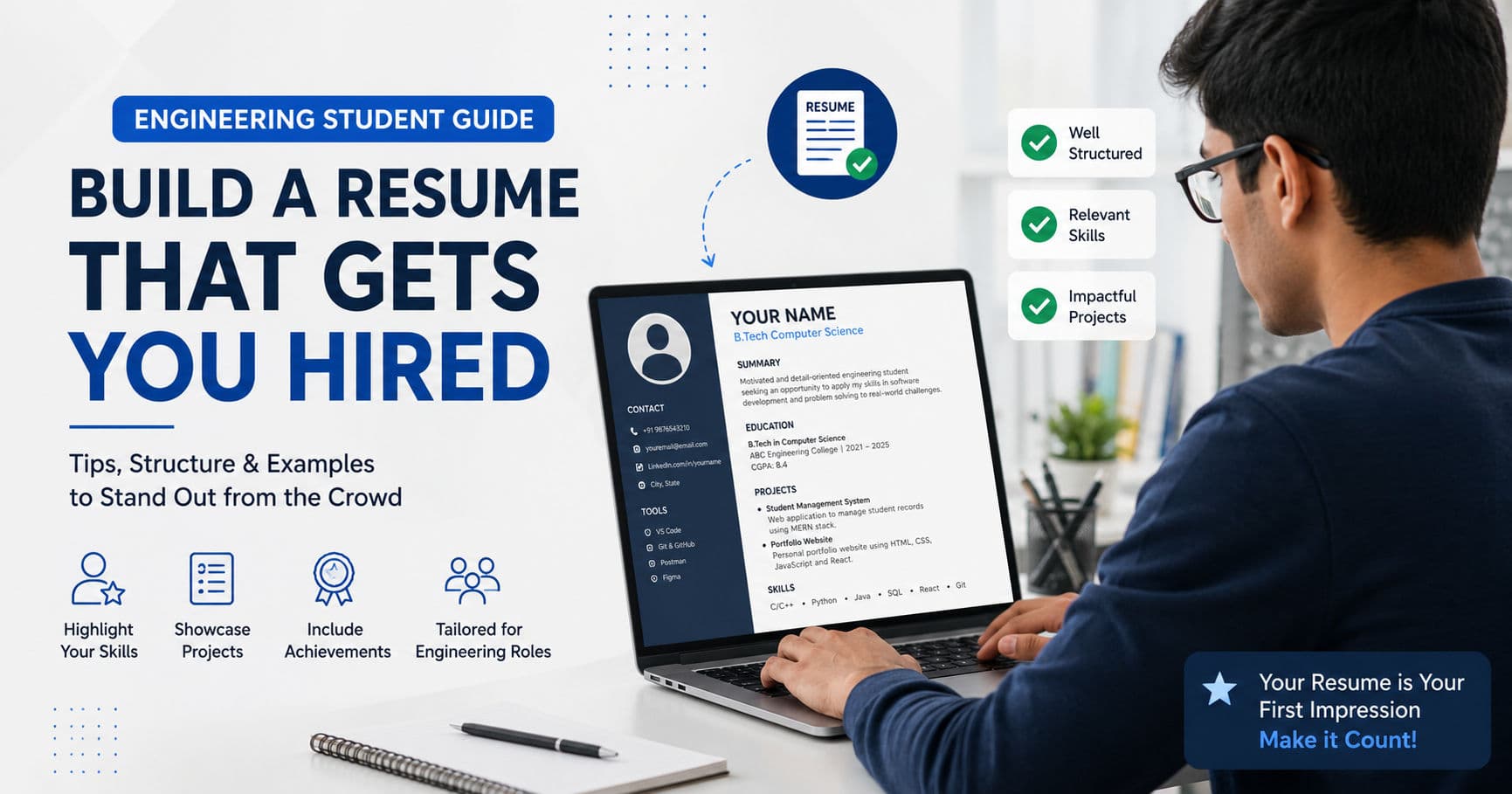
A dedicated skills section is essential for ATS scanning: TECHNICAL SKILLS Languages: Python, JavaScript, Java, C++, SQL Web Development: React, Node.js, Express, HTML5, CSS3 Databases: PostgreSQL, MongoDB, Firebase Tools & Platforms: Git, Docker, AWS, VS Code, Linux Methodologies: Agile, REST API Design, OOP Organize skills by category. This structure helps ATS identify your core competencies while making it easy for recruiters to scan.
Content Structure That Works
Header Section
Keep it simple and scannable: YOUR NAME City, State | Phone | Email | LinkedIn | GitHub/Portfolio Avoid fancy formatting. Use standard punctuation (pipes or commas) as separators.
Professional Summary or Objective
This section is optional for freshers. If included, make it brief (2-3 lines) and keyword-rich: ❌ Poor: "Passionate developer seeking opportunities to grow in tech" ✓ Good: "Engineering graduate with 6 months internship experience in full-stack development using Python, React, and PostgreSQL. Seeking entry-level Software Engineer role to build scalable web applications."
Experience Section
Structure each role clearly: Job Title | Company Name | City, State | Month Year – Month Year
- Accomplishment with quantifiable results and relevant keywords
- Responsibility with technologies mentioned
- Achievement demonstrating impact
Best practices:
Start bullets with action verbs: Developed, Implemented, Designed, Optimized, Debugged Include specific technologies and tools Quantify results when possible: "Reduced API response time by 40%" Focus on what you did, not just what the job entailed
Education Section
Structure clearly: Bachelor of Technology in Computer Science | University Name | Graduation: Month Year CGPA: X.XX/10 | Relevant Coursework: Data Structures, Database Management, Web Development Include relevant coursework, especially early in your career. ATS scans this section for degree types and institution names.
Projects Section
This section is valuable for freshers without professional experience: Project Name | GitHub Link | Technologies: Python, React, MongoDB | Month Year – Month Year
Brief description of what you built and the technologies used. ATS extracts project technologies and descriptions, so be specific about tools and frameworks. Certifications and Achievements List relevant certifications:
CERTIFICATIONS & ACHIEVEMENTS
- Google Cloud Associate Cloud Engineer | Credential ID: XXXX | Month Year
- AWS Solutions Architect Associate | Credential ID: XXXX | Month Year
Common ATS Mistakes to Avoid
Mistake 1: Overcomplicating the Design
Many candidates believe a visually impressive resume will stand out. In reality, design complexity is the 1 reason ATS systems fail to parse resumes correctly. Solution: Choose simplicity over aesthetics. A clean, well-organized text-based resume outperforms a beautiful but complex one.
Mistake 2: Using Acronyms Without Explanation
While "REST API" and "SOLID principles" are industry terms, ATS systems may not recognize all acronyms. Solution: Use both the acronym and full form on first mention: "REST (Representational State Transfer) APIs"
Mistake 3: Ignoring the Job Description
Some candidates use a generic resume for every application. This is a critical mistake. Solution: Tailor your resume for each position. Mirror the language, keywords, and emphasis of the job description while keeping your core achievements intact.
Mistake 4: Placing Name and Contact Info in Headers
ATS systems struggle with information placed in document headers. Solution: Place all contact information in the main document body, clearly visible at the top.
Mistake 5: Using Dates in Unusual Formats
Write dates consistently: "January 2023 - Present" or "01/2023 - Present" Avoid inconsistency like "Jan 2023 - June'24" which confuses parsing algorithms.
Best Practices for Engineering Resumes
Proofreading and Accuracy
Spelling and grammar errors signal carelessness to both ATS systems and humans. Use tools like Grammarly, but always proofread manually.
Testing Your Resume
Before submitting:
Save your resume as both PDF and Word formats Test on free ATS checkers online (many available for debugging) Open your PDF in a text viewer to ensure it converts to readable text Have someone else review it for clarity
Customization for Each Role
Maintain a base resume but adjust:
Skills section: Prioritize skills from the job description Experience bullets: Reorder or emphasize relevant accomplishments Keywords: Naturally incorporate language from the posting
LinkedIn Profile Alignment
Your LinkedIn profile doesn't affect ATS scoring, but ensure consistency with your resume for when recruiters verify your information.
Key Takeaways
ATS systems are the gatekeepers of modern hiring. Understanding their mechanics is essential for job search success Format matters more than design: Keep layouts simple, single-column, and text-based Keyword optimization is critical: Research each job description and incorporate relevant technical terms naturally Structure for scanning: Use clear sections, bullet points, and consistent formatting Test before submitting: Verify your resume renders correctly in different formats Customize strategically: While maintaining your core resume, adjust emphasis and keywords for each application
Conclusion
Building an ATS-friendly resume doesn't mean sacrificing quality or professionalism. By understanding how these systems work and following best practices, you can create a resume that passes automated screening while appealing to human recruiters. For engineering students entering the job market, mastering ATS-friendly resume optimization is as important as building your technical skills. Start with a clean, well-organized template, load it with relevant keywords from target job descriptions, and test it thoroughly before submitting. With a properly optimized ATS-friendly resume, your qualifications will reach the right people—and your engineering career can truly begin.
FAQ
1. What's the difference between an ATS-friendly resume and a regular resume?
An ATS-friendly resume prioritizes clarity and keyword optimization for automated parsing, using simple formatting, standard fonts, and strategic keyword placement. A regular resume might include design elements and graphics. The best approach combines both: an ATS-friendly structure with strong content that also appeals to human readers.
2. Should I submit my resume as PDF or Word?
Both formats can work with modern ATS systems, but Word documents (.docx) are slightly safer as they convert more reliably to plain text. If the application system allows choosing, use PDF created from a Word document. Always check job posting instructions for specific format requirements.
3. How many keywords should I include in my resume?
There's no magic number—focus on natural integration. Your focus keyword should appear 0.8-1.5% of total words. More importantly, include all relevant technical skills and tools mentioned in the job description. ATS systems look for exact or near-exact matches with job requirements.
4. Can I use a resume template from Canva or other design tools?
Professional-looking templates are fine if they use simple formatting without tables, graphics, or unusual fonts. However, many design tool templates include elements that break ATS parsing. Test your resume in a text converter before submitting to ensure it parses correctly.
5. How often should I update my resume for ATS optimization?
Keep your base resume updated every 6 months. However, customize keywords and emphasis for each specific job application—this takes 10-15 minutes per position but significantly improves your chances of passing ATS screening.