What are AI tools actually good for in engineering?
AI tools are good at the work around engineering, and unreliable at engineering itself. That distinction is the whole article, so it is worth being precise about it.
They are genuinely good at:
-
Explaining a concept in a second way when the textbook version has not landed.
-
Finding and summarising papers so you can decide what is worth reading properly.
-
Debugging syntax errors and reading unfamiliar stack traces.
-
Drafting the boring sections of a report — abstract structure, formatting, tables of contents.
-
Converting a rough sketch or a set of notes into a diagram or a slide deck.
-
Generating boilerplate code you would otherwise copy from your own older project.
They are unreliable at:
-
Arithmetic and unit conversion, which they do by predicting text rather than calculating.
-
Citing real sources; fabricated references with real-sounding authors and journals are common.
-
Derivations, where the steps look valid and the result is wrong.
-
Component specifications, tolerances, and material properties, which get confidently invented.
-
Anything where being 90% right is the same as being wrong.
Notice that the second list is most of what your marks depend on. This is why "which tool is best" is the wrong question. The useful question is which stage of your work you are stuck on, and whether that stage is one where being confidently wrong is survivable.
Which AI tool for which task?
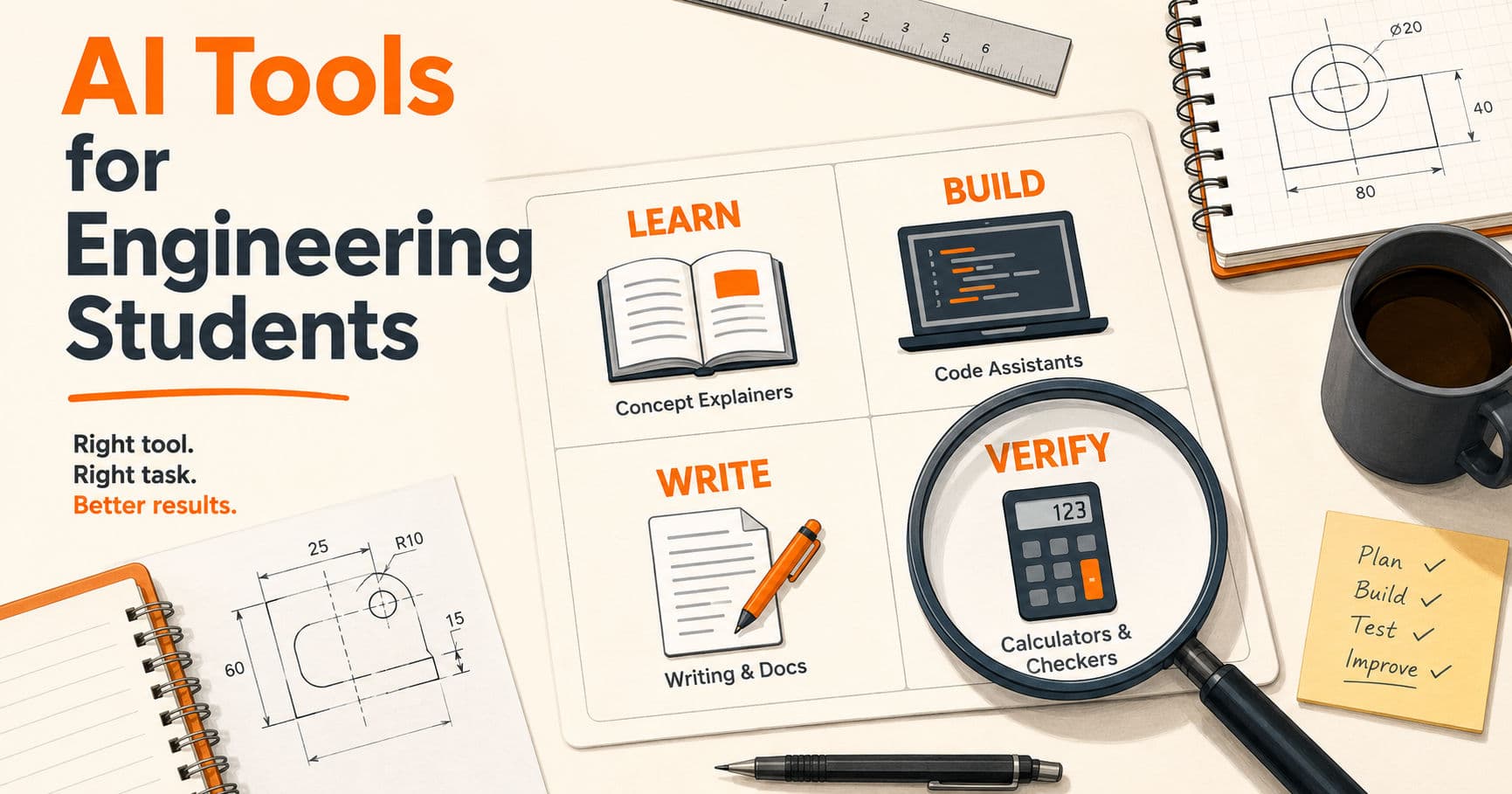
Pick by task. Running nine tools at once is the most common mistake students make, and it produces more context-switching than output.
| Stage of work | What you need | Reasonable options |
|---|---|---|
| Understanding a concept | Explanation, second angle | ChatGPT, Claude, Gemini free tiers |
| Literature review | Paper discovery, summaries | Elicit, Consensus, Semantic Scholar |
| Managing references | Citations that are real | Zotero, Mendeley |
| Writing code | Completion, boilerplate | GitHub Copilot, Cursor, Codeium |
| Debugging | Reading errors, isolating faults | Any chat assistant with your traceback |
| Maths and verification | Symbolic and numeric checking | Wolfram Alpha, SymPy, MATLAB |
| Data analysis | Notebooks, plots, models | Google Colab, Jupyter, Kaggle |
| Diagrams | Flowcharts, architecture, circuits | Mermaid, draw.io, Excalidraw |
| Report writing | Structure, language cleanup | Overleaf, Grammarly, QuillBot |
| Slides for viva | Notes to deck | Gamma, Canva, Google Slides |
Two things to read out of that table. First, several rows are not AI at all — Zotero, Mermaid, and SymPy are ordinary software, and for those tasks ordinary software is the correct answer because it is deterministic. Second, the maths row exists specifically because you should not trust a language model with a calculation when a computer algebra system will do it exactly.
A working default for most students: one chat assistant, one coding assistant, Zotero, and Colab. That covers the majority of coursework. Add specialist tools only when you hit a specific wall.
Which AI tools are free for engineering students?
Cost is a real constraint, and a surprising amount of what students pay for is already free with a college email address.
Free with student verification:
-
GitHub Student Developer Pack — the single highest-value thing on this list. Verification takes a college email and proof of enrolment, and it bundles a large set of developer tools, including Copilot access for verified students. Check the official pack page for what is currently included, since the bundle changes.
-
MATLAB — many Indian engineering colleges hold campus-wide licences that students never activate because nobody told them. Ask your department before paying for anything. MathWorks also sells a student licence far below the commercial price.
-
Cloud platform credits — AWS, Azure, and Google Cloud all run student programmes with free credits.
Free without any verification:
-
Google Colab — free GPU access in a browser. For most student ML work this is enough, and it removes the "my laptop cannot run this" problem entirely.
-
Zotero — open-source reference manager. Free, and it solves the fabricated-citation problem by only storing references that actually exist.
-
Jupyter, SymPy, NumPy, and the rest of the scientific Python stack — free and open source.
-
draw.io and Excalidraw — free diagramming, no account needed.
-
Free tiers of the major chat assistants — usable for most coursework, with usage limits that change often enough that quoting them here would be wrong within a month.
What is usually worth paying for, if anything: nothing, in first and second year. By final year, if a paid coding assistant genuinely saves you hours every week on a serious project, that is a defensible spend. A stack of subscriptions in first year is not.
AI tools by engineering branch
Most tool lists are written for software students with a token MATLAB mention. Here is the split by branch, kept short because the differences are narrower than they look.
| Branch | Where AI genuinely helps | Where to be careful |
|---|---|---|
| CSE / IT | Code completion, debugging, documentation | Generated code you cannot explain |
| ECE / EEE | Concept explanation, code for embedded work, report drafting | Component specs and datasheet values, which get invented |
| Mechanical | Report writing, literature review, generative design exploration | Material properties, tolerances, and any hand calculation |
| Civil | Documentation, quantity summaries, drafting help | Load calculations and code compliance, which must come from actual standards |
| All branches | Lecture notes, paper summaries, slide decks, viva preparation | Anything you will be asked to derive live |
The common thread across every branch: AI is safest on language and structure, and least safe on physical quantities. A hallucinated sentence in your introduction is embarrassing. A hallucinated yield strength in your design calculation is a failed submission, and in professional practice it is worse than that.
Core-branch students should also register that the heavy simulation tools — Ansys, SimScale, and the CAD packages with generative design features — are real and increasingly AI-assisted, but they are learned through your department and its licences, not through a browser tab.
Where AI tools go wrong in engineering work
These are the four failures that actually cost students marks. Every one is common enough that you should assume it will happen to you.

Fabricated citations. A model asked for references will produce entries with plausible authors, plausible journal names, plausible years, and plausible DOIs, some of which do not exist. In a literature review this is fatal, because a guide who checks one reference and finds nothing will check all of them. The fix is procedural: never let a model produce your bibliography. Find the paper, open it, add it to Zotero from the source.
Unit and conversion errors. Language models do arithmetic by pattern, not by calculation. Mixed units — millimetres against metres, kN against N, °C against K — are exactly where this breaks, and the answer will be stated with complete confidence. Anything numeric goes through Wolfram Alpha, SymPy, or a calculator.
Plausible but invalid derivations. A step-by-step derivation can look structurally perfect and contain one wrong move in the middle. This is more dangerous than an obviously wrong answer, because it survives a quick read. If you cannot follow every line yourself, you cannot use it.
Code that runs and is subtly wrong. Generated code often executes cleanly while doing not quite what you asked — an off-by-one in a loop bound, the wrong axis in a NumPy operation, a filter that silently drops rows. Tests catch this; reading the output and thinking "looks right" does not.
There is a pattern underneath all four. AI failures in engineering are rarely obvious. They are confident, well-formatted, and wrong, which means they pass exactly the kind of quick check a tired student performs at 2am.
The academic integrity rules nobody explains
This section exists because almost no tool list mentions it, and it is where students actually get into trouble.
Ask your department for the policy, in writing. Many Indian colleges still have no formal written policy on AI use in assignments and projects, which means the rule in practice is whatever your individual guide believes. That ambiguity is dangerous for you, not for them. A short email asking "is AI assistance permitted for the literature review, and should it be disclosed?" gives you something to point at later.
AI detectors are unreliable in both directions. They miss AI-generated text, and they flag human-written text as AI-generated. The second failure is the one that should worry you, because it can happen to work you wrote entirely yourself. Formal academic English — which is what you are taught to write — is the style most likely to be flagged.
So keep your evidence. This is the practical defence and hardly anyone tells students to do it:
-
Write in a tool with version history (Google Docs, Overleaf, or a Git repository) so there is a record of the document growing over time.
-
Keep your handwritten notes, rough diagrams, and dead ends.
-
Keep the intermediate drafts rather than overwriting one file.
-
For code, commit regularly rather than pushing everything in one commit the night before.
A document that appeared fully formed in one save looks the same whether you wrote it or generated it. A document with three weeks of edit history does not.
Disclose when asked, and do not overstate. If a submission asks whether AI was used, say what you used it for. "Used an AI assistant for grammar correction and to debug the plotting code" is honest and nearly always acceptable. Denying use that a guide later suspects is a much larger problem than the use itself.
The interview problem: projects you cannot explain
This is the failure mode that costs jobs rather than marks, and it has become much more common.
An interviewer looking at your final-year project will not ask whether you used AI. They will ask why you chose that architecture, what happens if the input doubles, why you picked that algorithm over the obvious alternative, and what you would change. Those questions cannot be answered from memory of a prompt.
The pattern is easy to spot from the other side of the table. A candidate describes an impressive project fluently at the summary level, then cannot explain a specific design decision inside it. That gap reads as either not having built it or not having understood it, and both conclusions end the conversation.
The practical rule: you can use AI to build anything you can explain. Generate the boilerplate, get help with the tricky function, ask for a second opinion on the design — and then make sure you understand every decision well enough to defend it under questioning. If a section of your own project is a black box to you, either learn it or remove it.
A useful self-test before any interview or viva. Pick three parts of your project at random and explain each for five minutes to someone who did not build it. Anywhere you stall is where you will be caught.
The verify-before-submit checklist
Run this on anything going to a guide, an examiner, or a recruiter. It takes about fifteen minutes.
Numbers and calculations
-
Every numeric result recomputed independently, by calculator, SymPy, or Wolfram Alpha.
-
Every unit checked, including intermediate steps.
-
Every material property, component rating, or standard value traced to a real datasheet or standard.
Sources 4. Every citation opened and confirmed to exist. 5. Every quoted figure checked against the actual source, not a summary of it. 6. References managed in Zotero or Mendeley rather than typed from a model's output.
Code 7. The code runs from a clean clone or a fresh environment. 8. At least one test, or one manual check against a known correct answer. 9. No API keys, tokens, or credentials in the repository.
Writing 10. Read aloud once, so sentences you did not write are audible. 11. Terminology consistent with what your course actually uses. 12. Nothing in the document you cannot explain if asked.
Process 13. Draft history or commit history exists and shows the work developing. 14. Any AI use disclosed where the submission asks for it. 15. Three random sections rehearsed out loud for five minutes each.
How to use AI without getting worse at engineering
There is a real cost to using these tools badly, and it is not academic misconduct. It is that you stop building the skill the course was supposed to give you.
-
Attempt first, then ask. Give a problem twenty minutes of honest effort before opening an assistant. The struggle is where the learning happens; skipping straight to the answer skips the learning.
-
Ask for explanation, not just output. "Explain why this fails" builds understanding. "Fix this" does not.
-
Type the code rather than pasting it. Slower, and it forces you to read every line.
-
Use it to check your work, not to produce it. Solve the problem, then ask the model to find your error. This inverts the relationship and keeps you in charge.
-
Keep one thing per semester entirely AI-free. One assignment, one project module, one lab report. It tells you honestly where your unaided skill actually is, which is the level an interview will test.
-
Notice when you cannot start without it. That is the signal to back off for a few weeks, not to upgrade to a paid tier.
The students who come out of this well are not the ones using the most tools. They are the ones who can still do the work when the tools are switched off, and who use the tools to go faster at things they already understand.
Common mistakes
| Mistake | Why it happens | Fix |
|---|---|---|
| Running nine tools at once | Every list recommends a different one | One chat assistant, one coding assistant, Zotero, Colab |
| Letting a model write the bibliography | It produces perfect-looking references instantly | Find every paper yourself and add it via Zotero |
| Trusting AI arithmetic | The answer is stated confidently | Recompute in Wolfram Alpha, SymPy, or a calculator |
| Paying for subscriptions in first year | Free tiers feel limiting | Claim the GitHub Student Pack and your campus MATLAB licence first |
| Submitting a document with no draft history | Working in one file is the default habit | Use version history so you can prove authorship if flagged |
| Generating a project you cannot explain | It gets you to a demo faster | Build smaller, understand fully, rehearse three sections aloud |
| Assuming detectors are accurate | Colleges present them as authoritative | They produce false positives; keep evidence of your process |
| Never asking about the AI policy | It feels like drawing attention | Ask your guide in writing; ambiguity is a risk to you |
| Pasting code without reading it | It compiles, so it looks done | Type it, test it, and check the edge case |
| Skipping the attempt | Answers are one prompt away | Twenty minutes of your own effort first, every time |
Frequently asked questions
Is it allowed to use AI tools for engineering assignments?
It depends on your college, and many Indian institutions still have no written policy. Ask your department or project guide in writing what is permitted and whether disclosure is required. Generally, using AI for explanation, debugging, and language cleanup is accepted, while generating work you submit as your own is not.
Which AI tool is best for engineering students?
There is no single best tool, only a best tool for the stage you are stuck on. A free chat assistant covers the widest range of tasks, a coding assistant helps with implementation, and Zotero handles references reliably. Most students need two tools at a time, not nine.
Are AI tools free for engineering students?
Many are. Google Colab, Zotero, draw.io, and the scientific Python stack are free to everyone. The GitHub Student Developer Pack is free with student verification and bundles substantial developer tooling. Many colleges also hold campus-wide MATLAB licences that students never claim because nobody tells them.
Can teachers detect AI-generated assignments?
Detection tools exist but are unreliable in both directions, missing generated text and flagging human writing as AI. The more reliable detection is a viva question you cannot answer. Keep your drafts and version history so you can demonstrate your own process if you are wrongly flagged.
Will using AI tools make me a worse engineer?
It can, if you use it to skip the struggle rather than to move faster through work you already understand. Attempt problems yourself first, ask for explanations rather than answers, and keep at least one assignment per semester completely unaided so you know where your actual skill level is.
Can I use AI for my final year project?
Usually yes for support tasks, subject to your college's policy. The real constraint is the viva: examiners ask why you made each design decision, and those answers cannot come from a prompt. Use AI to move faster on parts you understand, and make sure you can defend every section of the project.
What AI tools do mechanical and civil students need?
Mostly the same general tools as everyone else — a chat assistant for concepts, a reference manager, and a writing tool — plus the simulation and CAD software your department licenses. Be especially careful with material properties, load calculations, and code compliance values, which models invent confidently and which must come from actual standards.
Do I need to pay for ChatGPT or Copilot as a student?
Not in first or second year. Free tiers cover typical coursework, and Copilot access is available to verified students through the GitHub Student Developer Pack. If a paid tool genuinely saves you several hours a week on a serious final-year project, that is a reasonable spend, but a stack of subscriptions early on is not.
How do I mention AI tools on my resume?
Do not list them as skills. "ChatGPT" and "Copilot" are not skills, in the same way "Google" was never a skill. What belongs on a resume is what you built and the technologies you built it with. If AI is genuinely central to your work, show it through a project that uses AI, not through a tools list.
Conclusion
The useful mental model is narrow: AI tools are fast at language and structure, and unreliable at physical quantities. Use them freely on the first, verify relentlessly on the second.
Pick two tools, claim your free student access, and run the verification checklist before anything leaves your machine. That is nearly all of the practical value available here.
The part worth protecting is your ability to work without them. Keep one assignment a semester unaided, and you will always know where you actually stand.